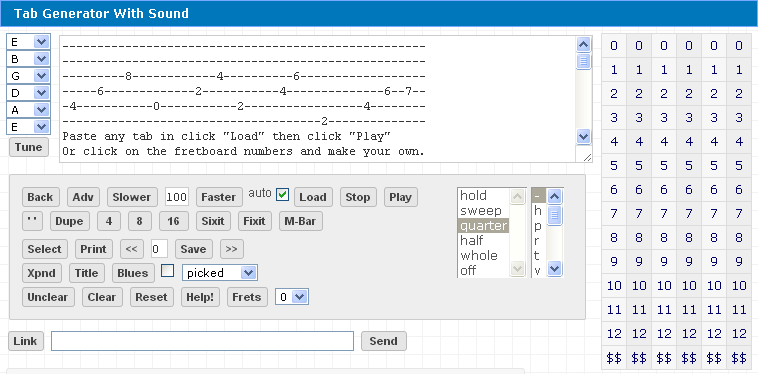
Big News... Tab Generator now comes with complete sound, this means you can get tabs from Olga.net
or anywhere else and immediately hear the way they're supposed to be played.
Click here to Get it Now
Tab Generator
-
h
p
r
t
v
~
x
/
|
\
(
)
<
>
^
auto
The width of this box (63) is 3 over standard size for tab (60). Too wide (70,80?) for this box is still acceptable on print page ---------1---------2---------3---------4----------5---------6----- Any notes above 9, click "advance" if next note on same string --------------------------------- Special Characters: highlight then click "$$" on that string --------------------------------- "Sixit" will add highlighted Special character to all strings --------------------------------- "Hold" for chords, enter special character "-" on unused strings or "Fixit" to even out anything out of sync --------- "Dupe" will duplicate last 2 lines. 4 will duplicate last 4 etc. --------- "Sweep" is next space apart. "One" adds one "-" also. "Two" adds two "--" between notes. --------------------------------- "Clear" will only clear last tab in box --------------------------------- "UnClear" will bring back the last tab cleared ...this means "Clear" can be used as a "temporary save" --------------------------------- Anytime you have a tab section you want to save click "save" you can save as many as you want (number will be shown) and when you're done click "print" and it will show page. Use << >> to view previous saves, then "Load" to put back into memory. (make sure to "save" or "temporary save" whatever is in this text box before << >> viewing previous, or just click anything other than "Clear" like... "Fixit" to bring back last work still in memory) --------------------------------- You can modify a tab manually directly into this text box then click "Load" and it will load into program changeable memory. Or check auto load and it will automatically load when you leave text area. If you want to put in something longer than six string lines... make sure auto load is off (unchecked). You can save anything you type into this text box (Additional info, lyrics, instructions, Can be any length, html allowed), Example: You can save and print these instructions. --------------------------------- If you want your name or a title on the page click "Title" --------------------------------- "Reset" will clear and reset all, including saves ------------------------------------------------------------------ Auto-Blues generates completely random blues riffs in any key. Click any fret level to change key. If you check the box... it auto-saves it. Auto-Blues|_|slower|Ø|faster|Stop ------------------------------------------------------------------ 1 2 3 4 5 6 12345678901234567890123456789012345678901234567890123456789012345 ------------------------------------------------------------------
hold
sweep
one
two
Click here to get an advanced version of this program plus others.
Hassle-Free, Automatic set-up, Get it Now! ...comes with sound!